is the SOURCE VIDEO. Preserve its duration, resolution, frame rate,…
Промпт
@video1 is the SOURCE VIDEO. Preserve its duration, resolution, frame rate, audio and all frames outside the transition area. Locate the existing cut between the black-and-white historical dental clinic and the modern color dental clinic. Replace only this cut with a precise feature-matched structural morph lasting approximately 18–24 frames. This is a TRUE GEOMETRIC MORPH, not a dissolve. Use the last clear black-and-white frame before the cut as the START KEYFRAME. Take from it the exact patient position, dentist, dental chair, hands, instruments, furniture and room geometry. Use the first clear modern color frame after the cut as the END KEYFRAME. Take from it the exact patient position, doctors, modern chair, medical equipment, room geometry, lighting and colors. Establish direct visual correspondence between matching objects: - historical patient head → modern patient head; - old dental chair and headrest → modern gray dental chair and headrest; - historical dentist’s head and torso → foreground modern doctor’s head and torso; - historical dentist’s hands and instrument → modern gloved hands and instrument; - old dental lamp → modern overhead dental equipment; - cabinets and walls → corresponding modern clinical surfaces; - window blinds → modern clinic window and background. Continuously warp each starting object into its corresponding final object. Shapes, contours, proportions, materials and colors must interpolate smoothly frame by frame. The chair physically changes its construction. The dentist’s clothing reshapes into the modern medical uniform. The hands and instrument change continuously while remaining connected. The room architecture rebuilds itself in place. Maintain one single coherent image in every intermediate frame. Never display the two shots simultaneously. Do not change image opacity. Do not place one frame over another. Do not use transparency, crossfade, dissolve, double exposure, ghosting, split screen, light wipe, glowing ring, energy wave, flash or transition overlay. Keep the patient’s eye line, head, mouth and chair headrest locked to nearly the same screen coordinates. Preserve anatomically correct faces, hands and bodies. Do not introduce additional people during the morph. The second modern doctor may emerge naturally from the transforming background only near the end of the transition. Add only a very subtle continuous camera push-in, approximately two percent across the entire transition, to conceal small differences in framing. The pale-blue border surrounding the archival image should move smoothly beyond the screen edges during this push-in. The first transition frame must exactly match the historical shot. The final transition frame must exactly match the modern shot. Complete the transformation before continuing with the unchanged modern portion of @video1. The desired result is an elegant temporal evolution of the same dental room, as if the historical clinic physically transforms into the modern clinic in one uninterrupted shot.
Сделано на модели AI. Скопируй промпт, поменяй под себя и запусти — попробовать бесплатно.
Ещё от matvey T.
 видео 1
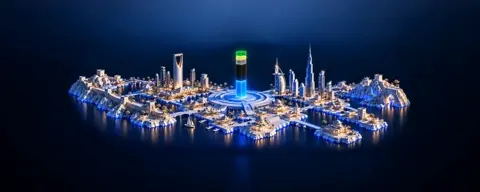
An almost still shot. The camera makes an extremely slow…
 видео 1
A barely perceptible, smooth horizontal camera orbit around…
 видео 1
A single rigid miniature sculpture, with the landscape,…
 видео
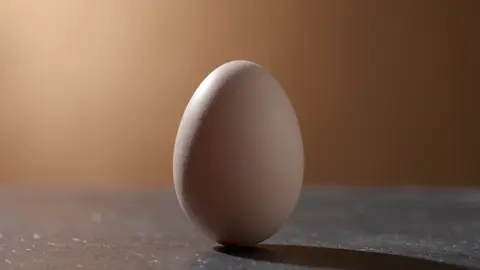
видеоElevated front three-quarter tracking shot. The truck…
 видео
видеоCreate a cinematic live-action macro product shot of a…
 видео
видеоONE continuous 12-second cinematic shot, 16:9. Match the…
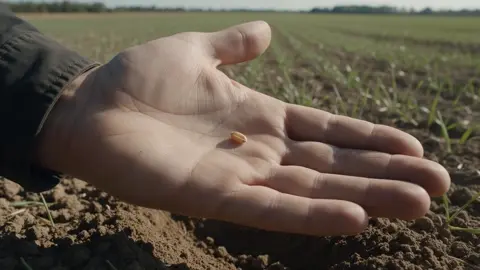
Use the uploaded image as a COMPOSITION reference. Recreate…
 видео
видеоCreate ONE continuous 10-second cinematic shot, 16:9. Use…
Повтори это за минуту
Вставь промпт, поменяй под себя — получишь свой вариант. Без VPN, оплата картой РФ и СБП.
Попробовать бесплатно →