is the exact START KEYFRAME. Use its black-and-white historical…
Промпт
@image1 is the exact START KEYFRAME. Use its black-and-white historical dental clinic, patient, dentist, old dental chair, instruments, furniture, room geometry and archival photographic texture. @image2 is the exact END KEYFRAME. Use its modern color dental clinic, patient, doctors, gray dental chair, contemporary equipment, room geometry, lighting and natural colors. Create a continuous visible magical morph from @image1 into @image2. Begin exactly with @image1 as a still archival photograph. After a brief pause, the entire black-and-white scene gently comes alive. The patient begins breathing, the dentist makes small natural movements, and the hands and dental instrument move subtly. While this natural motion continues, every historical object visibly and physically transforms into its corresponding modern form. The transformation must remain fully visible. Do not conceal it with a hand, object, transition mask or camera wipe. The patient in @image1 continuously morphs into the patient in @image2. Facial features, head shape, hair, clothing and body position smoothly flow and reshape frame by frame. The patient remains one continuous person throughout the transformation. The historical dentist continuously morphs into the foreground modern doctor. Her face, hairstyle, body, clothing, hands and instrument organically reshape into the appearance shown in @image2. The second modern doctor gradually forms from the space and equipment behind the patient as the room transforms. The old dental chair physically flows into the modern gray chair. Its headrest, frame, upholstery and mechanical parts stretch, reshape and reform into the final construction without disappearing or being replaced. The old dental lamp and instruments continuously transform into the modern dental equipment. Cabinets, walls, window blinds and furniture smoothly change their shapes, proportions, materials and spatial arrangement until the entire room matches @image2. The black-and-white tones also transform continuously into natural modern colors. Color must emerge from within the changing surfaces themselves. Skin, hair, clothing, chair and room gradually acquire their final colors while their geometry is morphing. Do not use a colored wipe or overlay. The morph should look magical, elegant and fluid, but remain photorealistic. Surfaces may softly stretch, flow and reform like flexible physical material, while faces, hands and bodies remain anatomically believable. Keep the camera almost stationary with only a very subtle slow push-in. Preserve the aligned positions of the patient’s head, mouth, dental chair and doctor’s hands. Every intermediate frame must contain one coherent image and one continuous version of each person and object. The starting forms must physically evolve into the final forms. Do not crossfade between @image1 and @image2. Do not overlap the images. Do not use double exposure, transparency, ghosting, dissolves, flashes, glowing energy, rings, particles, liquid splashes, transition masks or objects passing in front of the camera. The transformation itself is the visual effect. End exactly on @image2, matching its people, faces, positions, dental chair, equipment, framing, lighting and colors. Hold the completed modern scene briefly.
Сделано на модели AI. Скопируй промпт, поменяй под себя и запусти — попробовать бесплатно.
Ещё от matvey T.
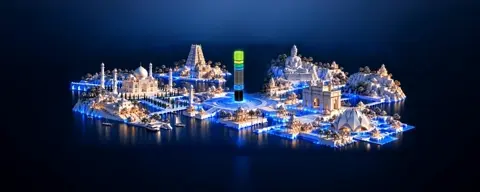 видео 1
An almost still shot. The camera makes an extremely slow…
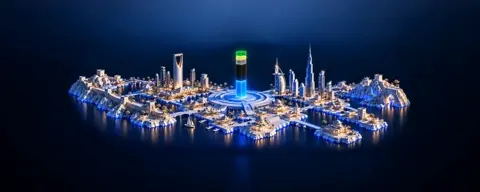 видео 1
A barely perceptible, smooth horizontal camera orbit around…
 видео 1
A single rigid miniature sculpture, with the landscape,…
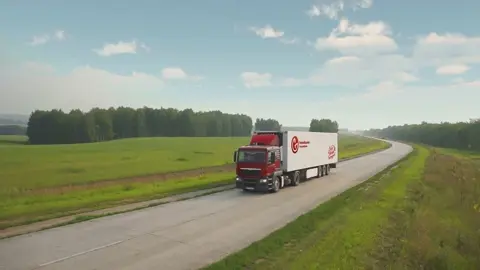 видео
видеоElevated front three-quarter tracking shot. The truck…
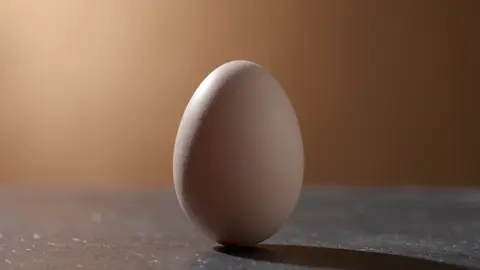 видео
видеоCreate a cinematic live-action macro product shot of a…
 видео
видеоONE continuous 12-second cinematic shot, 16:9. Match the…
Use the uploaded image as a COMPOSITION reference. Recreate…
 видео
видеоCreate ONE continuous 10-second cinematic shot, 16:9. Use…
Повтори это за минуту
Вставь промпт, поменяй под себя — получишь свой вариант. Без VPN, оплата картой РФ и СБП.
Попробовать бесплатно →