Create a 15-second corporate 3D map animation as one single…
Промпт
Create a 15-second corporate 3D map animation as one single uninterrupted continuous camera take. REFERENCE ROLES @Image1 — GEOGRAPHY AND TEXT MASTER: exact complete map, terrain, perspective, city positions, Russian labels, markers, existing blue circular platforms, colors, and lighting. @Image2 — exact Moscow–Podolsk view and all objects shown at Podolsk. @Image3 — exact Sochi view, its geographic position below Moscow, marker, Russian label, blue platform, and all location objects shown in the reference. @Image4 — exact Manzherok view, blue platform, and white inflatable hangar. @Image5 — exact Yelizovo view, blue platform, and white hangar. Every city label is permanently attached to its exact geographic position from the references. Use each supplied city and Russian label exactly once. The existing “Новосибирск” marker remains in the lower part of the map near “Манжерок”, exactly as shown in @Image1. 0.0–1.2 s — The complete map from @Image1 is fully visible from the first frame. The camera is fixed. Preserve the exact geography, city positions, terrain, perspective, proportions, and colors. 1.2–2.4 s — All supplied location markers and their exact Russian labels illuminate simultaneously in their reference positions, including “Сочи” at its exact position below Moscow from @Image3. The existing blue circular platforms begin a slow, subtle clockwise rotation with a gentle light pulse. All activated labels and markers remain anchored to the map throughout the video. 2.4–4.2 s — Make a small, restrained push-in toward the existing “Новосибирск” marker in the lower part of the map near Manzherok. Focus only on the marker and label already present in @Image1. Keep the surrounding map visible so its exact geographic position remains clear. Hold briefly. 4.2–6.8 s — Smoothly pull back and travel left across the same map toward the existing “Москва” and “Подольск” locations. Gently push in until the composition matches @Image2. The existing Podolsk marker and blue platform brighten. Reveal the exact Podolsk object from @Image2 on its existing platform. The platform continues rotating slowly and pulsing gently. Hold briefly. 6.8–8.8 s — From Moscow, smoothly move downward across the same map toward the exact “Сочи” location shown in @Image3. Gently push in until the camera framing matches @Image3. Brighten the existing Sochi marker and blue platform. Reveal only the location objects supplied by @Image3. The blue platform rotates slowly with a subtle light pulse. Hold briefly. 8.8–11.7 s — Smoothly pull back and travel from Sochi across the same map toward the existing “Манжерок” marker. Gently push in until the composition matches @Image4. The blue platform brightens and rotates slowly. The white inflatable hangar from @Image4 rises cleanly from the center of its platform. Keep the original “Манжерок” label anchored to its exact reference position. Hold briefly. 11.7–15.0 s — Smoothly travel from Manzherok toward the existing “Елизово” marker. Gently push in until the composition matches @Image5. The blue platform brightens and continues its slow rotation with a gentle pulse. The white hangar from @Image5 rises cleanly from its center. Finish with the original “Елизово” label, marker, rotating blue platform, and white hangar clearly visible. Treat all Russian city names as immutable graphic elements copied directly from the references. Preserve their exact spelling, size, orientation, and geographic coordinates. Use only the cities, labels, markers, blue platforms, and location objects supplied by @Image1–@Image5. One continuous camera take from beginning to end. Every transition happens through smooth physical camera movement above the same map: restrained push-ins, gentle pullbacks, and lateral travel. Clear atmosphere, stable lighting, realistic movement, precise reference-based visuals, crisp geometry, premium corporate infographic style, 4K, 16:9. Intentional silence.
Сделано на модели Seedance 2.0. Скопируй промпт, поменяй под себя и запусти — попробовать бесплатно.
Ещё от Roman
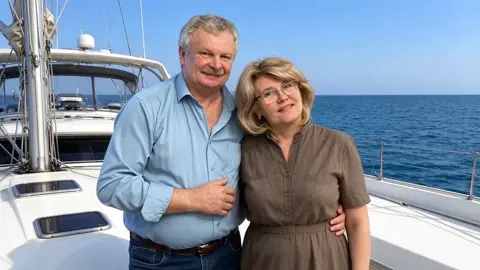
убери ребенка, взрослая пара на яхте, довольные. именно…
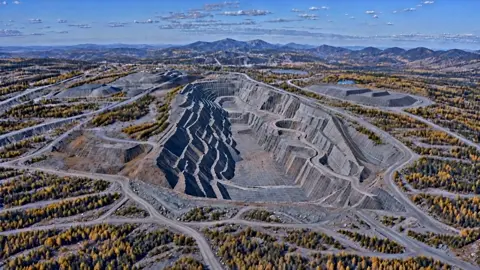 видео
видео15-second continuous aerial shot. Target output: 4K,…
 видео
видеоКамера не делает орбитальное движение.камера отдаляется…
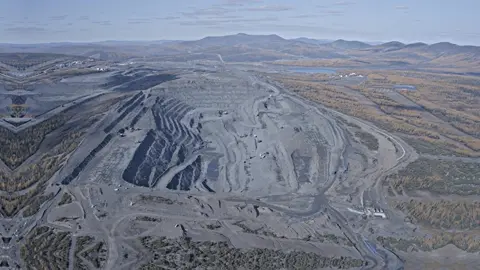 видео
видеокамера отдаляется быстро от карьера через облака вверх и…
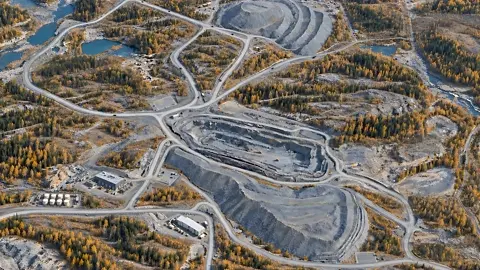 видео
видеоCreate one continuous camera move between the supplied…
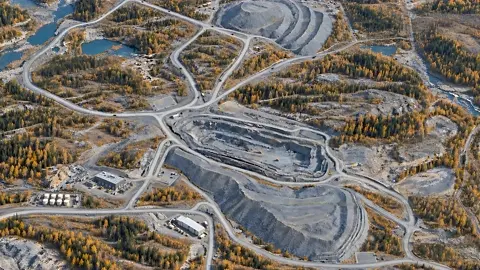 видео
видеокамера приближается к левому нижнему углу карты где…
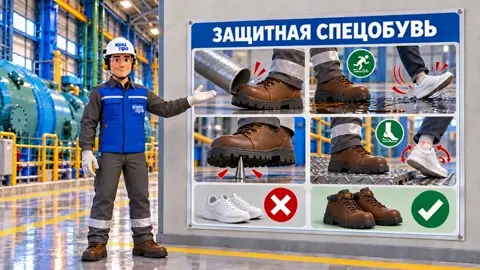 видео
видеокамера орбитально движется очень медленно вправо. не плывет…
 видео
видеоOne continuous 4-second hyperrealistic live-action shot.…
Повтори это за минуту
Вставь промпт, поменяй под себя — получишь свой вариант. Без VPN, оплата картой РФ и СБП.
Попробовать бесплатно →